| Feature | Tailscale | ZeroTier | WireGuard |
|---|---|---|---|
| Setup time per device | ~2 min | ~5 min | 15-30 min |
| NAT traversal | Flawless, even CGNAT | Unreliable behind CGNAT | Manual port forwarding |
| Key management | Automatic | Automatic | Manual rotation |
| Self-host option | Headscale (solid) | ZeroTier controller | Native, full control |
| Ongoing maintenance | Nearly zero | Moderate (reconnects) | High (config drift) |
💡 Testing setup: All four tools ran across the same hardware — a ThinkPad, Pixel phone, Proxmox home server, and a Hetzner VPS. I rotated between them monthly. The table above reflects six months of actual usage, not spec sheets.
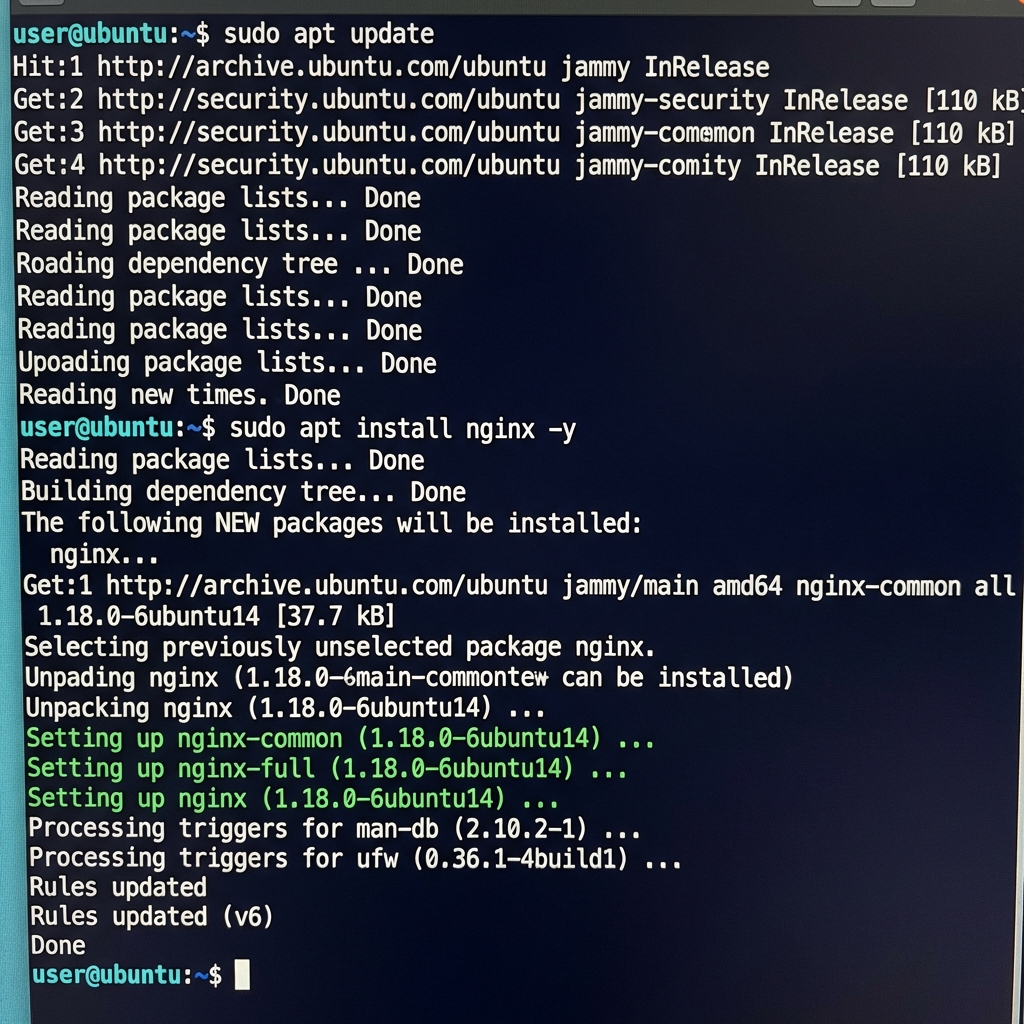
Linux
One curl command. Compare this to WireGuard where you would need to generate keys, write a config file, configure the interface, and set up routing — all before your first connection.
curl -fsSL https://tailscale.com/install.sh | shmacOS
App Store has the GUI version. If you prefer the terminal:
brew install tailscaleWindows
Grab the installer from tailscale.com/download. It sits in the system tray and stays out of the way. ZeroTier has a similar Windows client but I found it more resource-hungry.
iOS/Android
Install from the app store. The mobile client is where Tailscale really shines over WireGuard — toggling exit nodes on your phone is trivial, whereas WireGuard's mobile app makes you manage configs manually.
Connect Your First Device
sudo tailscale up💡 Something off? Run journalctl -xe for details. In my experience the errors are readable — not like the cryptic handshake failures WireGuard gives you when a key is wrong.
A browser window opens, you log in, and that device joins your network. The whole thing took me 90 seconds the first time. With ZeroTier, the equivalent step involves copying a network ID and then waiting for approval in a web dashboard that feels like it was designed in 2014.
Repeat on every device. They find each other automatically through Tailscale's coordination server. No manual peer configuration.
Using Tailscale
Every device gets a stable 100.x.x.x address. Unlike ZeroTier's 10.x.x.x range, these persist even if you reinstall. Check what is connected:
tailscale statusReaching another machine is straightforward:
ssh [email protected]
# Or use the machine name
ssh user@laptop
That second option is MagicDNS. Tailscale resolves hostnames to Tailscale IPs automatically. ZeroTier has something similar but I could never get it to work consistently. With raw WireGuard, you would need to set up your own DNS or just memorize addresses.
Exit Nodes
This is the feature that made me stop using standalone WireGuard. With WireGuard you can do the same thing, but it requires editing the AllowedIPs on both ends and making sure the routing table is correct. Tailscale turns it into a flag.
On the machine you want traffic to flow through:
sudo tailscale up --advertise-exit-nodeThen approve it in the admin dashboard. ZeroTier does not have a native equivalent — you would need to set up iptables rules and manual routing, which defeats the purpose of using an overlay network.
On the client side:
sudo tailscale up --exit-node=exitnode-nameAll traffic now flows through that node. I use this on airport wifi constantly. Toggle it on, browse safely, toggle it off when I get home.
Subnet Routers
This lets you access devices that cannot run Tailscale — printers, IoT gadgets, that old NAS running firmware from 2018. WireGuard can do this too but you need to manually configure iptables forwarding and IP masquerading. Tailscale handles the routing for you.
Pick a device on the target network and run:
sudo tailscale up --advertise-routes=192.168.1.0/24Approve the route in the admin console. After that, every device on your tailnet can reach 192.168.1.x addresses as if they were local. I use this to manage my home printer from a coffee shop, which is either very convenient or very sad depending on your perspective.
Tailscale SSH
This is where the gap between Tailscale and everything else gets embarrassing. Tailscale replaces SSH key management entirely. No authorized_keys files, no ssh-copy-id, no passphrase prompts. Your identity comes from your Tailscale login.
tailscale ssh user@machineTurn it on in the admin console under Access Controls. Neither ZeroTier nor Netmaker have anything like this. With raw WireGuard you are still managing SSH keys the old-fashioned way on top of managing WireGuard keys.
Access Control Lists (ACLs)
Tailscale's ACL system is JSON-based and lives in their admin dashboard. You define who reaches what. WireGuard has no concept of this — you control access by which peers have which AllowedIPs, which gets messy fast. ZeroTier has flow rules but the syntax is bizarre and poorly documented.
{
 "acls": [
 {"action": "accept", "src": ["tag:servers"], "dst": ["tag:servers:*"]},
 {"action": "accept", "src": ["autogroup:members"], "dst": ["*:22"]}
 ]
}
Practical example: my phone can reach my NAS and my home server, but not the work VPS. That took one line in the ACL file. Doing the same in WireGuard would mean maintaining separate peer configs for each access level.
Sharing with Others
You can share a single device with someone outside your network. Go to the admin console, click Share on the device, type in their email. They get access to that machine and nothing else.
I used this to give a freelancer SSH access to a staging server for two weeks. No VPN client to install on their end beyond Tailscale itself, no credentials to revoke later — just unshare the device when the project ends. Try doing that with WireGuard without generating and distributing a new keypair.
Self-Hosted Alternative: Headscale
The biggest knock against Tailscale is the coordination server. Your traffic is peer-to-peer and encrypted, but key exchange goes through Tailscale's infrastructure. If that bothers you, Headscale is an open-source replacement for the control plane. I ran it for a month to see if it was viable.
docker run -d \
 --name headscale \
 -p 8080:8080 \
 -v ./config:/etc/headscale \
 -v ./data:/var/lib/headscale \
 headscale/headscale:latest \
 serve
It works. Setup takes about an hour. The admin UI is not as polished and some features lag behind official Tailscale. I went back to the hosted version after a month because the convenience was worth trusting their coordination server. But the option exists, and that matters.
Free Tier Limits
Tailscale's free plan gives you:
- 100 devices — more than any homelab or small team will touch
- 3 users, which covers most personal setups
- Every feature I mentioned in this article, including exit nodes, subnet routes, ACLs, and Tailscale SSH
ZeroTier's free tier caps at 25 devices. Netmaker limits you to 50 nodes on the community edition. WireGuard is free and unlimited but your time is not, and you will spend it. On pure value, Tailscale's free tier is the most generous in this category by a wide margin.
The Verdict: Tailscale vs WireGuard vs the Rest
Use Tailscale when:
- You have devices behind CGNAT or aggressive firewalls that would make WireGuard impossible without a relay
- You need more than two devices talking to each other — mesh is where Tailscale really pulls ahead
- You want MagicDNS so you can ssh into "laptop" instead of memorizing 100.x addresses
- You share access with other people and need ACLs that don't require editing config files
- You value your weekends and do not want to debug key rotation at 11pm
Self-host WireGuard when:
- Corporate policy forbids any third-party coordination server, even for key exchange
- You only connect two or three devices in a simple hub-and-spoke layout
Use Tailscale if you want networking that disappears into the background. Use WireGuard if your employer's security team will not approve a third-party control plane and you only need a handful of tunnels. Skip ZeroTier — I gave it a fair shot and it fell apart behind CGNAT every time. Netmaker has potential but is not production-ready for a setup you want to forget about. Tailscale wins this comparison and it is not a close race.
💬 Comments